AI-Powered Commit Messages
- Automatically generates contextual commit message suggestions
- Preview generated messages before committing
- One-click commit with suggested messages
Quick Access
- Use CMD+Shift+G shortcut to open the Git status panel
- Select and manage multiple files at once
- View both staged and unstaged changes
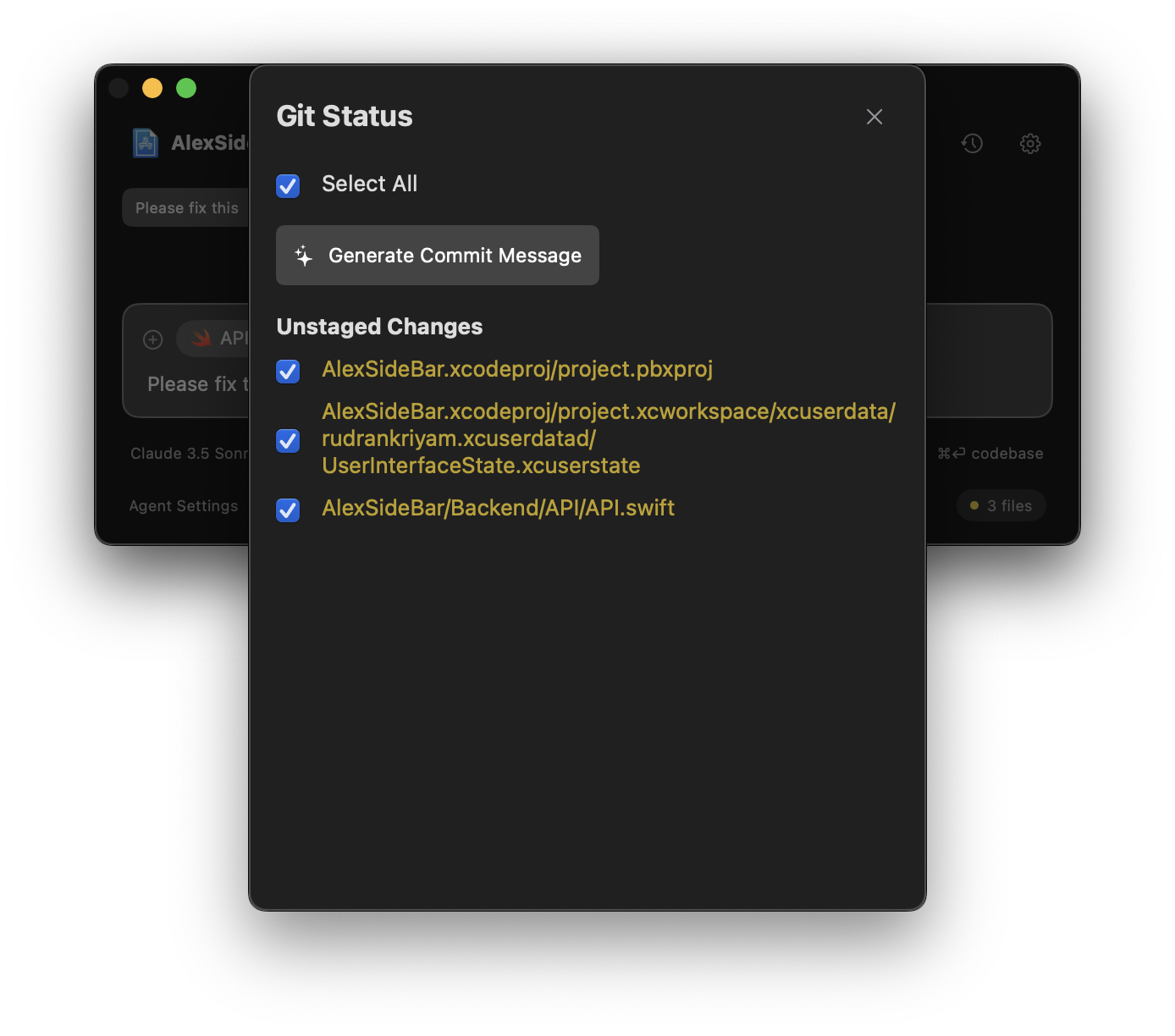
The Git panel shows all your staged and unstaged changes, making it easy to review before committing.
Using Git Integration
1
Open Git Panel
Press CMD+Shift+G to open the Git status panel.
2
Select Files
- Use the checkboxes to select individual files
- Click “Select All” to include all changed files
3
Generate Commit Message
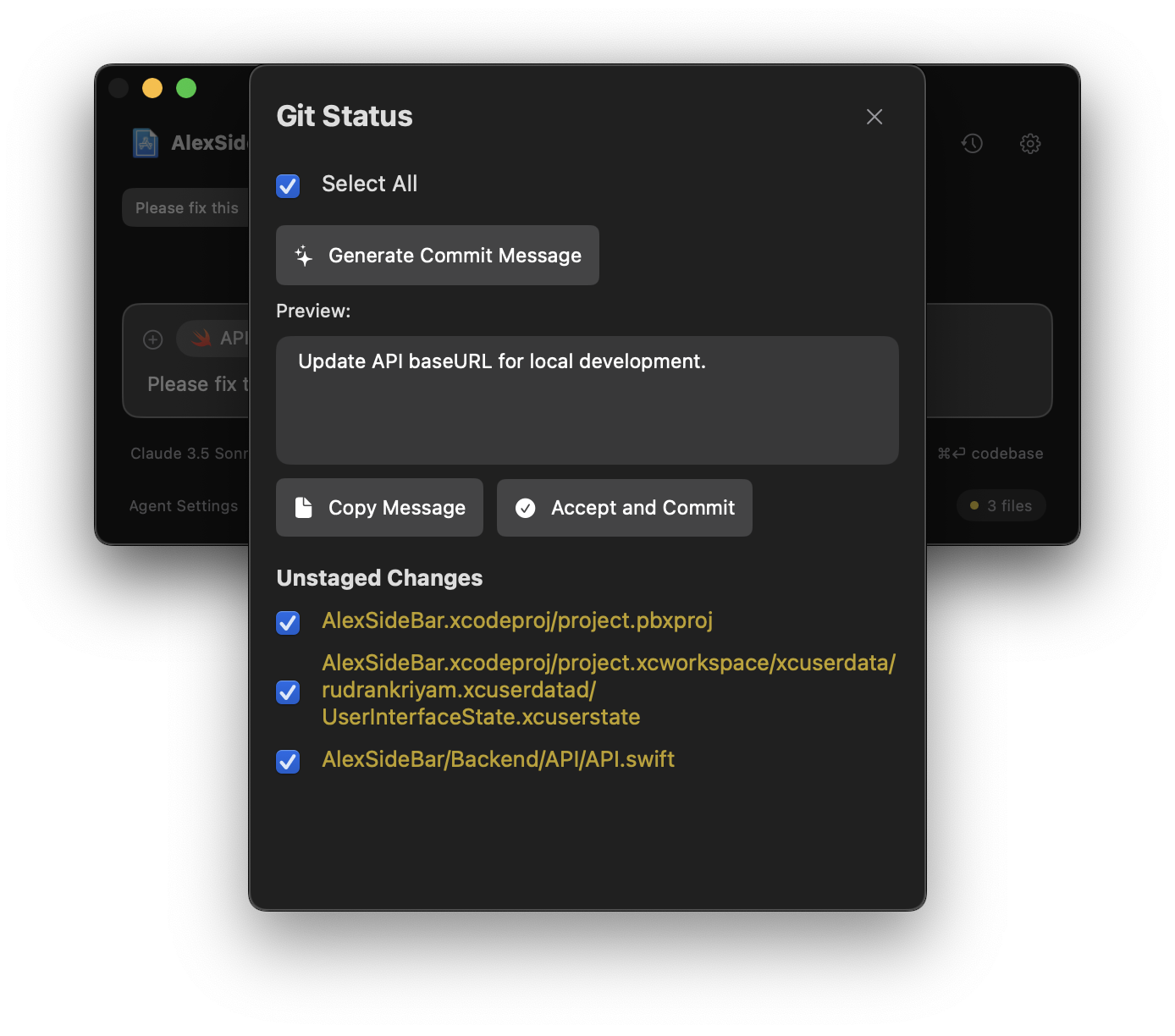
- Click “Generate Commit Message” to get AI suggestions
- Review the preview of the suggested message
- Use “Copy Message” to copy to clipboard if needed
4
Commit Changes
Click “Accept and Commit” to commit your changes with the selected message.
Configuration
The Git integration works out of the box with your existing Git configuration. No additional setup is required.Make sure your repository is properly initialized with Git before using these features.